Posted on Leave a comment

How to choose a gaming monitor

How to choose a gaming monitor

Find your dream monitor with our handy guide

Choosing the right gaming monitor can make a bigger difference to your experience than almost any other upgrade. From ultra-smooth gameplay to sharp, detailed visuals, the monitor you pick directly affects how your games look and feel. With so many options available, it’s important to understand what actually matters, whether that’s resolution, refresh rate, or visual fidelity.

If you read our guide about choosing a graphics card, you’ll have a good idea of what resolution you’ll want to pick but you might need some advice on the different panel types available and which is best for your setup. In this guide, we’ll breakdown those key features helping you decide which option best suits your gaming style, budget and setup.

how to choose a gaming monitor

Panel types at a glance

OLED

  • Vibrant Colours
  • Superior blacks
  • No backlight bleed
  • Risk of burn-in
  • Reduced brightness

IPS

  • Best colour accuracy
  • Superior brightness
  • Wide viewing angles
  • Backlight bleed
  • Inferior contrast

VA

  • Good contrast levels
  • Good colour accuracy
  • Cost effective
  • Image ghosting
  • VRR flicker

TN

  • Fast response time
  • Fastest refresh rate
  • Generally very cheap
  • Poor viewing angles
  • Poor colours

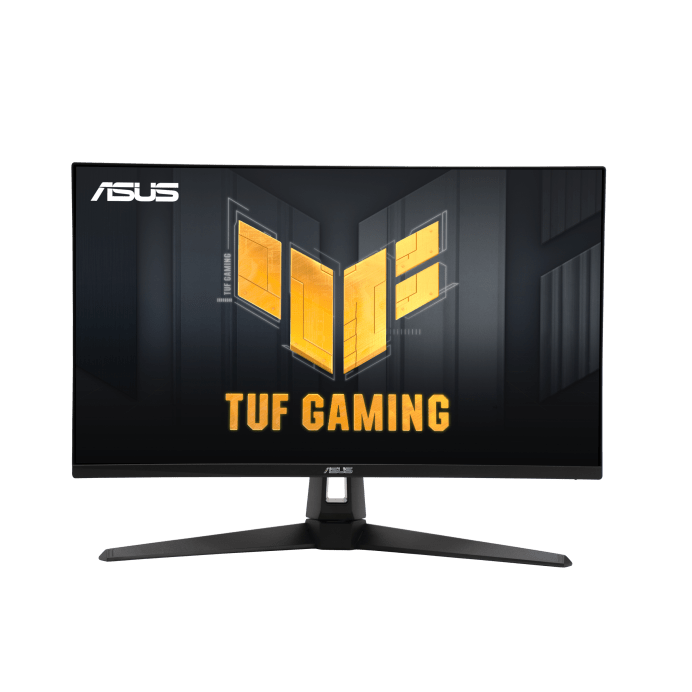
Best Competition Monitor
Asus TUF Gaming VG249QM1A

Refresh rate and response time are key for competitive play and the Asus TUF Gaming VG249QM1A monitor excels in both.

Boasting a refresh rate of 270Hz and a response time of 1ms, this G-Sync enabled monitor keeps latency and motion blur to a minimum, providing reliable performance even during the most intense action.

Best Budget Monitor
Cooler Master GM25FP

For under £100, you’ll find it hard to argue with some of the features in this 24.5″ Cooler Master monitor: FHD resolution with 180Hz refresh rate, 1ms response time and an IPS panel offering great colour accuracy and brightness, the Cooler Master GM25FP really is an exceptional “Bang for buck” option.

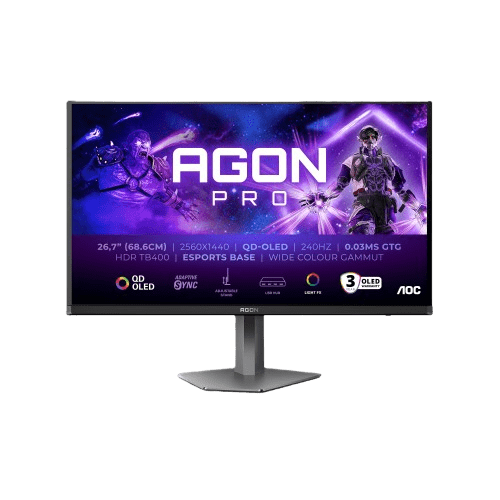
Best All-Rounder
AOC AGON PRO AG276QZD2 OLED

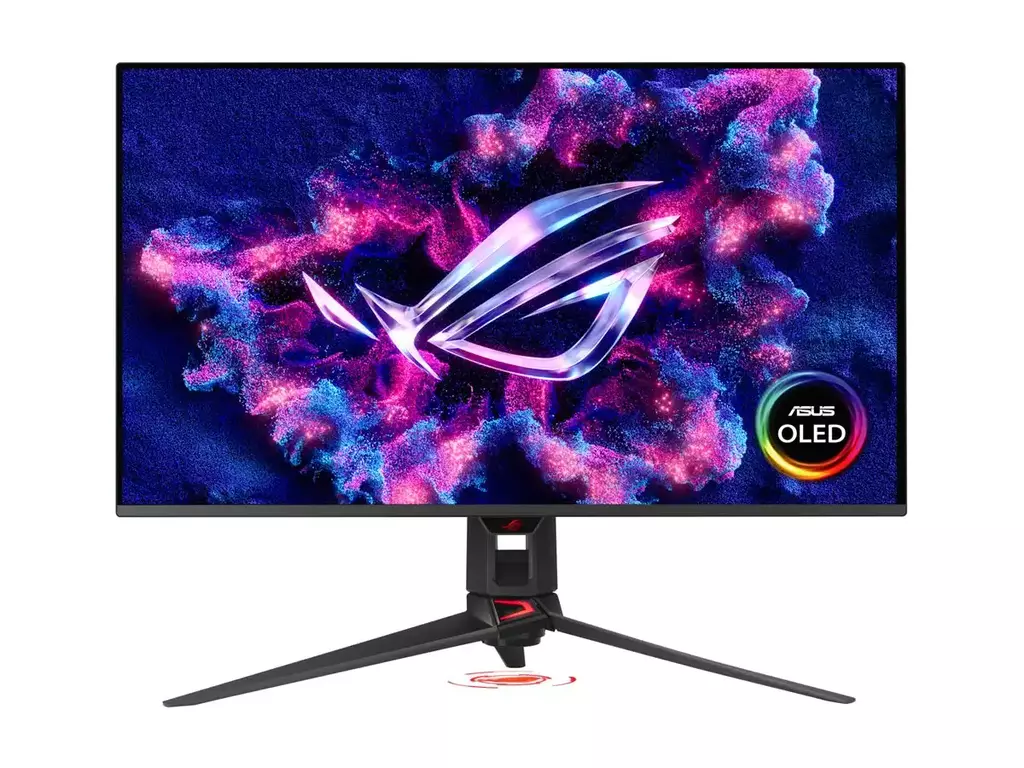
Best 4K monitor
Asus ROG Swift PG32UCDMR OLED

The ASUS ROG Swift OLED PG32UCDM stands out for its exceptional visual performance, combining a 32-inch 4K QD-OLED panel with a blazing-fast 240Hz refresh rate. This means you get incredibly sharp detail alongside ultra-smooth motion, making it ideal for both immersive single-player games and competitive titles. The near-instant 0.03 ms response time eliminates motion blur, while OLED technology delivers true blacks and vibrant colours, resulting in a more lifelike and engaging viewing experience

Not found what you’re looking for?

The above are some of our favourite picks, but if none of them hit quite the right note for you, try checking out some of the other screens in our range.

Posted on Leave a comment

Choosing the Right GPU for Your Monitor Resolution (1080p, 1440p, 4K Guide)

Choosing the Right Graphics Card for You

Whether gaming at 1080p or 4K, your choice matters

Understanding how resolution affects your gaming performance can help you find the right balance between graphical fidelity and frame rate, empowering you to choose the right card for your system.

Resolutions at a glance

Full HD (1080P)

  • Most commonly used resolution
  • Can offer very high refresh rate (240Hz+)
  • Least GPU intensive
  • Great for competitive / esports titles

Quad HD (1440P)

  • Sweet spot for clarity / performance
  • Sharper image quality than 1080p
  • Can offer high refresh rate gaming (120Hz – 180Hz)
  • Moderately GPU intensive
  • Great for modern AAA titles

Ultra HD (4K / 2160P)

  • Ultra-detailed visuals
  • Sharpest image quality on consumer-grade monitors
  • Can offer high refresh rate gaming but for a premium (120Hz – 180Hz)
  • Extremely GPU intensive
  • Great for cinematic single-player games on large displays (32″+)

Best GPUs for each Gaming Resolution

Full HD (1080P)

1080p remains the most commonly used gaming resolution, in part due to its affordability and performance. Most modern GPUs can achieve high frame rates at 1080p making it desirable for competitive gamers looking to aquire any advantage they can.

Improved responsiveness and stability are clear hallmarks of 1080p gaming; retaining a sharp enough image to identify targets in game, while boasting high frame rates to lower reaction times and improve gameplay fluidity. Entry level cards will run most modern games on medium / high settings (60 FPS) but for high refresh rate monitors, you’ll maybe want something that offers more value (90 – 120 FPS).

Entry-Level / Budget Cards

  • Nvidia RTX 3050 / RTX 5050
  • AMD Radeon RX 9060

Best Value Cards

  • Nvidia RTX 5060 / RTX 5060Ti
  • AMD Radeon RX 9060 XT

Quad HD (1440P)

Generally considered the sweet spot for PC gaming, 1440p offers noticeably sharper visuals than 1080p without the extreme performance demands of 4K.

However, Quad HD does require additional power from your graphics card to run smoothly; typically needing more VRAM and more processing cores to handle the increased pixel count. Mid-range GPUs will handle most modern games well (60-90 FPS) but for high refresh rate gaming (120 FPS+), you’ll want something with more performance.

Mid-Range Cards

  • Nvidia RTX 5060Ti 16GB
  • AMD Radeon RX 9060 XT 16GB

High-Performance Cards

  • Nvidia RTX 5070 / RTX 5070 Ti
  • AMD Radeon RX 9070 / 9070 XT

Ultra HD (4K)

Ultra HD delivers the sharpest visuals currently available on consumer-grade gaming monitors. With an effective pixel count matching 4x 1080p monitors running concurrently, 4K demands a lot of power from your graphics card, even just to hit a smooth, playable frame rate.

High-end cards will likely provide stable, reliable performance at this resolution (60 – 90 FPS) with high frame rate gaming requiring flagship performance (120 FPS+) to play at maxed out settings. A suitable monitor to run 4K resolution with high refresh rate will also cost a premium, so consider your options carefully when contemplating a 4K gaming setup.

High-End Cards

  • Nvidia RTX 5070Ti / RTX 5080
  • AMD Radeon RX 9070 XT

Flagship / Enthusiast

  • Nvidia RTX 5090