Posted on Leave a comment

Best Gaming CPUs

Best Gaming CPUs

Find the perfect processor to power your ultimate gaming rig.

Choosing the right CPU is one of the most important decisions in any gaming build – it can dictate how smoothly your entire system runs now and years down the line. In this guide, we break down the crowded CPU market into five clear winners, helping you find the best option whether you’re chasing peak gaming performance, building on a budget, or looking for the perfect all-rounder.

Best Gaming CPU
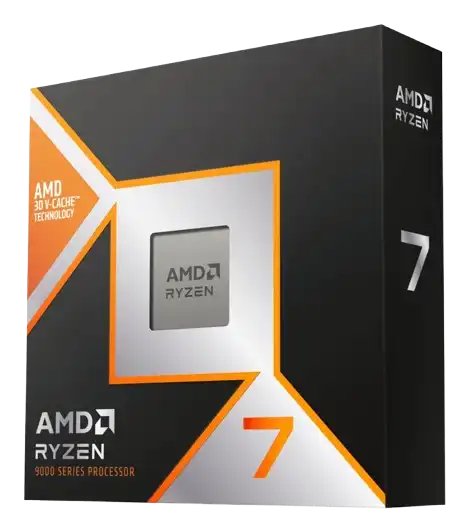
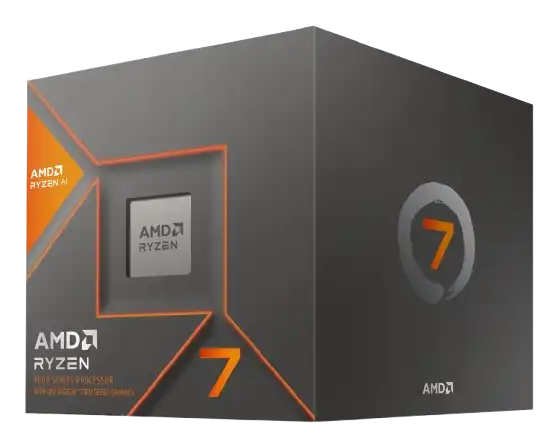
AMD Ryzen 7 9800X3D

The AMD Ryzen 7 9800X3D earns its reputation as the best gaming CPU primarily because of AMD’s second-generation 3D V-Cache technology. By stacking a massive amount of L3 cache directly on the chip (96MB), it dramatically reduces memory latency, which is one of the biggest bottlenecks in modern games.

The result is consistently higher frame rates and, more importantly, far better 1% lows, meaning smoother gameplay with fewer stutters. This cache advantage allows the 9800X3D to outperform even higher-core or higher-clocked CPUs in real-world gaming scenarios, where fast data access matters more than raw frequency.

Best Overall CPU
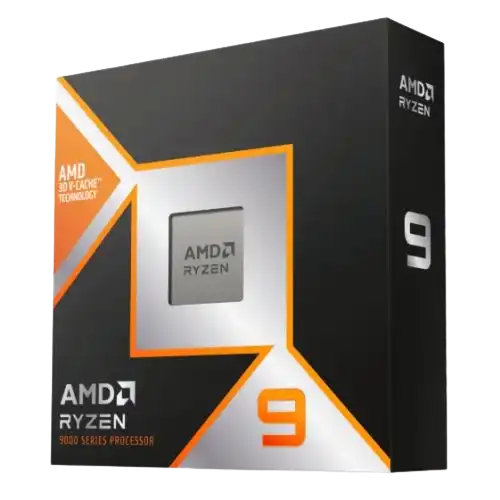
AMD Ryzen 9 9950X3D

Combine AMD’s highest core count Ryzen processor with their latest second-generation 3D V-Cache and you’ll get one of the best processors currently on the market; the Ryzen 9 9950X3D.

It offers exceptional in-game performance that rivals the 9800X3D, while its 16 cores and 32 threads provide the raw horsepower needed for demanding tasks like content creation, rendering, and multitasking.

Best Mid-Range Gaming CPU
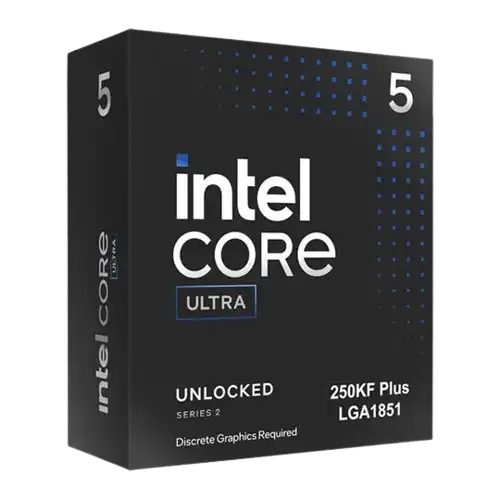
Intel Ultra 5 250K Plus

The Intel Core Ultra 5 250K Plus earns its place as the best mid-range gaming CPU by striking an exceptionally strong balance between price and performance.

Delivering gaming performance that rivals and often beats it closest competitor in the Ryzen 5 9600X, the 250K Plus is the first real signs of a fight back from Intel as they try to regain their crown from AMD.

Best Budget Gaming CPU
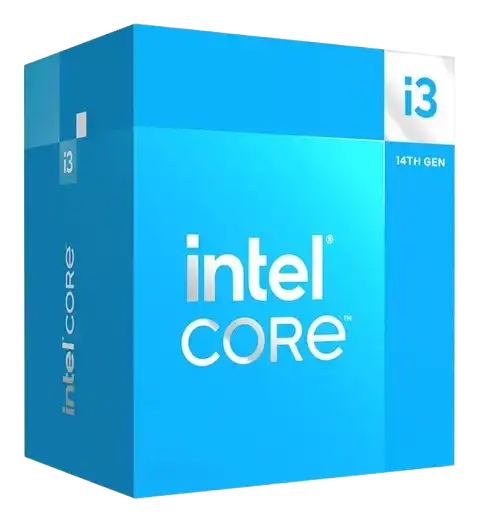
Intel Core i3 14100F

The i3 14100F focuses on what matters most in a budget gaming CPU; strong single-core performance and exceptional value. For less than £100, this plucky quad-core CPU goes toe-to-toe with the likes of AMDs Ryzen 5 5500 and often trades blows or outperforms it across multiple titles.

Having the option to use DDR4 RAM at a time when RAM prices are soaring also factors in to this CPUs budget prowess; paired with a cheap H610 or affordable B660 motherboard you’ll be able to spend more of your limited budget on the graphics card to increase your computer’s overall gaming performance.

Best Gaming APU
AMD Ryzen 7 8700G

The Ryzen 7 8700G stands out as the best APU for gaming because it delivers something no other desktop chip currently can: genuinely playable gaming performance without a dedicated graphics card. Its integrated Radeon 780M GPU, built on RDNA 3 architecture, is widely regarded as the most powerful iGPU available, capable of running modern games at 1080p with low to medium settings and smooth frame rates.

What makes it even more compelling is how it fits into a long-term upgrade strategy. Built on AMD’s AM5 platform, the 8700G gives you access to AMD’s current and future CPU ecosystem, meaning you can start with a GPU-free system and later drop in a powerful discrete graphics card without replacing your motherboard. You’ll even have the option of dropping in a new CPU once you’ve added a discrete solution, extending the life of your PC and giving it a performance boost.

Posted on Leave a comment

Best Resolution for Gaming

Best Resolution for Gaming

Find out which resolution is best for you

When it comes to gaming, resolution matters. Whether you’re chasing ultra-smooth performance or breathtaking visuals, choosing the right resolution can dramatically shape your experience.
In this guide, we’ll break down the three most popular gaming resolutions – 1080p, 1440p, and 4K, along with their pros and cons, so you can decide what’s best for your setup.

Why Resolution Matters for Gaming

Picking the right gaming resolution isn’t really about choosing the “best” number but rather what matters most to you.

Some players care about getting the highest frame rates possible for competitive games, whilst others want their games to look as sharp and as detailed as they can. For a lot of people, the sweet spot is somewhere in the middle: good visuals without needing to spend a fortune on upgrades.

That’s why resolution matters. The higher the resolution, the more detailed your games can look – but the more work your PC has to do. A higher resolution can make open-world games feel more immersive, but it can also lower your frame rate if your hardware can’t keep up.

Once you know what matters most to you, choosing becomes much easier.

Before You Choose, Ask Yourself:

Do you mostly play fast-paced shooters or esports titles?

Do you care more about smooth performance or visual quality?

What kind of graphics card and monitor do you already have, if any?

Are you trying to stay within a budget?

best resolution for gaming

Comparing 1080p, 1440p and 4K

See which option might be best for you!

1080p – Budget / High Frame Rate Gaming

1080p remains one of the most popular gaming resolutions for a reason: it’s reliable, affordable and easy to run.

If you’re in to your competitive games like Counter Strike, Valorant, League of Legends or even COD, you’ll usually want to maximise your frame rate at the expense of some visual fidelity. This is where 1080p gaming excels; reducing graphical bottlenecks in favour of highly responsive, low latency gameplay.

FHD gaming is also great if you’re on a budget; you’ll be able to play the latest titles without needing a top of the range computer and you’ll save a bit of cash on the monitor as well.

Pros:

  • Easier to run on entry / mid-range specs
  • Affordable options for PC and monitors
  • Great for esports with a mid-range system

Cons:

  • Reduced sharpness
  • Can look blurry / soft on large monitors
  • Less visual fidelity for cinematic games

1440p- The New Mainstream

Although 1080p is still the most widely used resolution, 1440p is making waves with it’s noticeably sharper image quality and strong balance between frame rate and visuals.

Once considered niche, Quad-HD is now seeing increased uptake as a middle ground between competitive, high frame rate gaming and cinematic single player experiences. You’ll need a better graphics card to run games maxed out at 1440p versus its 1080p counterpart but its considerably less demanding than 4K and gives great visual improvements.

If you play a mix of online and single player titles and have the hardware and budget to run a 1440p monitor, you should strongly consider it.

Pros:

  • Noticeably sharper than 1080p
  • Better balance of frame rate and visuals
  • Great for both single and multiplayer

Cons:

  • Requires better hardware than 1080p
  • Monitors usually cost more than 1080p
  • Not as sharp as 4K

4K – Cinematic / Enthusiast Gaming

If your priority is stunning graphics, 4K is hard to beat. It offers excellent visual fidelity and sharpness that, at the moment, can’t be beaten.

Games look incredibly detailed; textures pop and everything feels more immersive, especially on larger screens. Story-driven games, racing games, and visually rich open-world titles can look amazing in 4K but you’ll need some top of the range hardware to run it. It’s possible to run 4K at high frame rates as well but not without a graphics card that costs £1000+ and that is to say nothing of the cost of the 4K gaming monitor itself.

If you’re focus is story-driven games and you have a state of the art computer and want a matching state of the art screen, 4K is hard to argue with.

Pros:

  • Incredible sharpness and visuals
  • Great choice for cinematic experiences
  • Excellent on larger screens (32″+)

Cons:

  • Requires top of the range hardware
  • Hard to push high frame rates
  • Cost prohibitive

Needing help finding the right graphics card or monitor for your setup? Check out our previous guides on the best gaming monitors and our GPU selection guide for more helpful advice!

Posted on Leave a comment

How to choose a gaming monitor

How to choose a gaming monitor

Find your dream monitor with our handy guide

Choosing the right gaming monitor can make a bigger difference to your experience than almost any other upgrade. From ultra-smooth gameplay to sharp, detailed visuals, the monitor you pick directly affects how your games look and feel. With so many options available, it’s important to understand what actually matters, whether that’s resolution, refresh rate, or visual fidelity.

If you read our guide about choosing a graphics card, you’ll have a good idea of what resolution you’ll want to pick but you might need some advice on the different panel types available and which is best for your setup. In this guide, we’ll breakdown those key features helping you decide which option best suits your gaming style, budget and setup.

how to choose a gaming monitor

Panel types at a glance

OLED

  • Vibrant Colours
  • Superior blacks
  • No backlight bleed
  • Risk of burn-in
  • Reduced brightness

IPS

  • Best colour accuracy
  • Superior brightness
  • Wide viewing angles
  • Backlight bleed
  • Inferior contrast

VA

  • Good contrast levels
  • Good colour accuracy
  • Cost effective
  • Image ghosting
  • VRR flicker

TN

  • Fast response time
  • Fastest refresh rate
  • Generally very cheap
  • Poor viewing angles
  • Poor colours

Best Competition Monitor
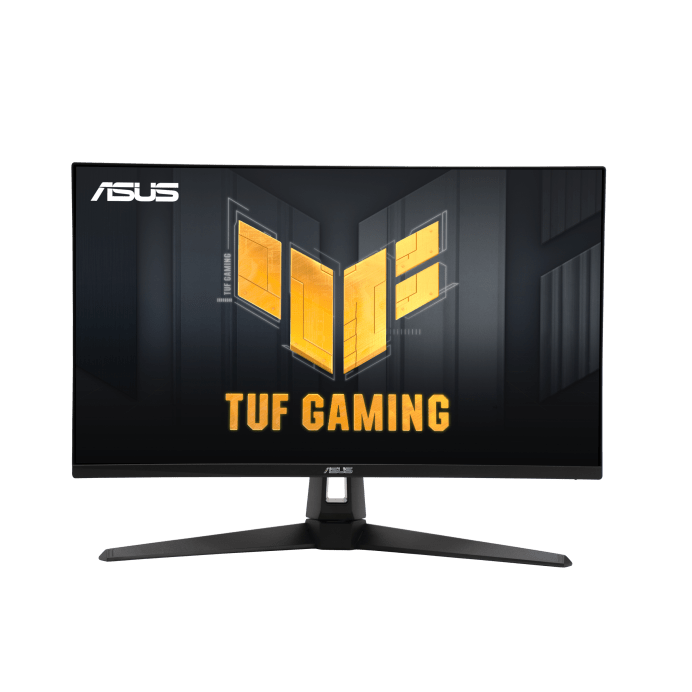
Asus TUF Gaming VG249QM1A

Refresh rate and response time are key for competitive play and the Asus TUF Gaming VG249QM1A monitor excels in both.

Boasting a refresh rate of 270Hz and a response time of 1ms, this G-Sync enabled monitor keeps latency and motion blur to a minimum, providing reliable performance even during the most intense action.

Shop Asus TUF Gaming VG249QM1A

Best Budget Monitor
Cooler Master GM25FP

For under £100, you’ll find it hard to argue with some of the features in this 24.5″ Cooler Master monitor: FHD resolution with 180Hz refresh rate, 1ms response time and an IPS panel offering great colour accuracy and brightness, the Cooler Master GM25FP really is an exceptional “Bang for buck” option.

Explore Cooler Master GM25FP

Best All-Rounder
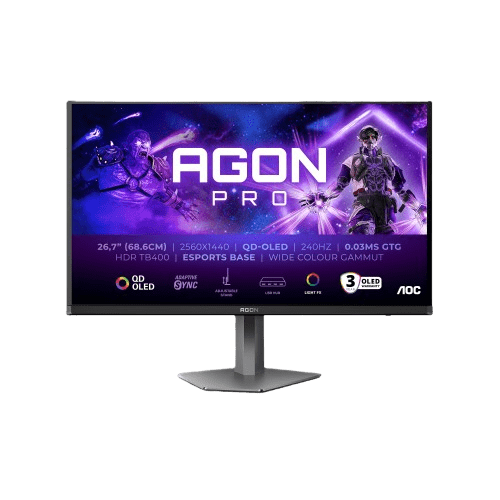
AOC AGON PRO AG276QZD2 OLED

Discover AOC AG276QZD2 OLED

Best 4K monitor
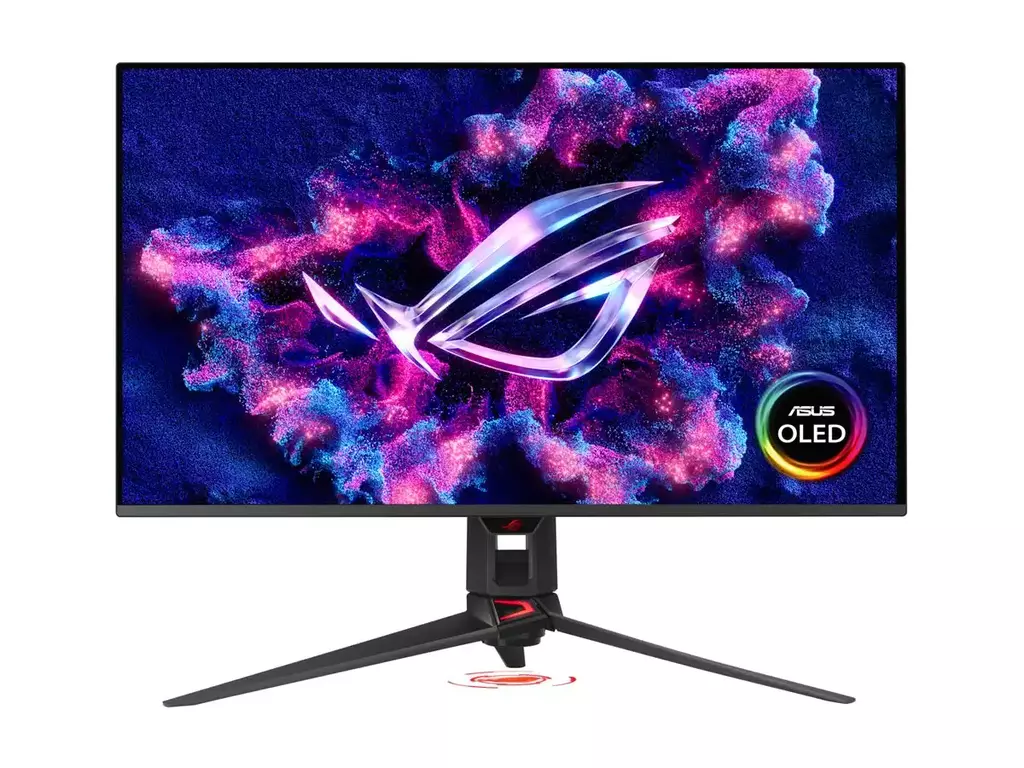
Asus ROG Swift PG32UCDMR OLED

The ASUS ROG Swift OLED PG32UCDM stands out for its exceptional visual performance, combining a 32-inch 4K QD-OLED panel with a blazing-fast 240Hz refresh rate. This means you get incredibly sharp detail alongside ultra-smooth motion, making it ideal for both immersive single-player games and competitive titles. The near-instant 0.03 ms response time eliminates motion blur, while OLED technology delivers true blacks and vibrant colours, resulting in a more lifelike and engaging viewing experience

Browse Asus PG32UCDMR OLED

Not found what you’re looking for?

The above are some of our favourite picks, but if none of them hit quite the right note for you, try checking out some of the other screens in our range.

Our Full Monitor Range

Posted on Leave a comment

Choosing the Right GPU for Your Monitor Resolution (1080p, 1440p, 4K Guide)

Choosing the Right Graphics Card for You

Whether gaming at 1080p or 4K, your choice matters

Understanding how resolution affects your gaming performance can help you find the right balance between graphical fidelity and frame rate, empowering you to choose the right card for your system.

Resolutions at a glance

Full HD (1080P)

  • Most commonly used resolution
  • Can offer very high refresh rate (240Hz+)
  • Least GPU intensive
  • Great for competitive / esports titles

Quad HD (1440P)

  • Sweet spot for clarity / performance
  • Sharper image quality than 1080p
  • Can offer high refresh rate gaming (120Hz – 180Hz)
  • Moderately GPU intensive
  • Great for modern AAA titles

Ultra HD (4K / 2160P)

  • Ultra-detailed visuals
  • Sharpest image quality on consumer-grade monitors
  • Can offer high refresh rate gaming but for a premium (120Hz – 180Hz)
  • Extremely GPU intensive
  • Great for cinematic single-player games on large displays (32″+)

Best GPUs for each Gaming Resolution

Full HD (1080P)

1080p remains the most commonly used gaming resolution, in part due to its affordability and performance. Most modern GPUs can achieve high frame rates at 1080p making it desirable for competitive gamers looking to aquire any advantage they can.

Improved responsiveness and stability are clear hallmarks of 1080p gaming; retaining a sharp enough image to identify targets in game, while boasting high frame rates to lower reaction times and improve gameplay fluidity. Entry level cards will run most modern games on medium / high settings (60 FPS) but for high refresh rate monitors, you’ll maybe want something that offers more value (90 – 120 FPS).

Entry-Level / Budget Cards

  • Nvidia RTX 3050 / RTX 5050
  • AMD Radeon RX 9060

Best Value Cards

  • Nvidia RTX 5060 / RTX 5060Ti
  • AMD Radeon RX 9060 XT

Quad HD (1440P)

Generally considered the sweet spot for PC gaming, 1440p offers noticeably sharper visuals than 1080p without the extreme performance demands of 4K.

However, Quad HD does require additional power from your graphics card to run smoothly; typically needing more VRAM and more processing cores to handle the increased pixel count. Mid-range GPUs will handle most modern games well (60-90 FPS) but for high refresh rate gaming (120 FPS+), you’ll want something with more performance.

Mid-Range Cards

  • Nvidia RTX 5060Ti 16GB
  • AMD Radeon RX 9060 XT 16GB

High-Performance Cards

  • Nvidia RTX 5070 / RTX 5070 Ti
  • AMD Radeon RX 9070 / 9070 XT

Ultra HD (4K)

Ultra HD delivers the sharpest visuals currently available on consumer-grade gaming monitors. With an effective pixel count matching 4x 1080p monitors running concurrently, 4K demands a lot of power from your graphics card, even just to hit a smooth, playable frame rate.

High-end cards will likely provide stable, reliable performance at this resolution (60 – 90 FPS) with high frame rate gaming requiring flagship performance (120 FPS+) to play at maxed out settings. A suitable monitor to run 4K resolution with high refresh rate will also cost a premium, so consider your options carefully when contemplating a 4K gaming setup.

High-End Cards

  • Nvidia RTX 5070Ti / RTX 5080
  • AMD Radeon RX 9070 XT

Flagship / Enthusiast

  • Nvidia RTX 5090